Diagnosing Layer Shifts in Tall Vase-Mode Prints
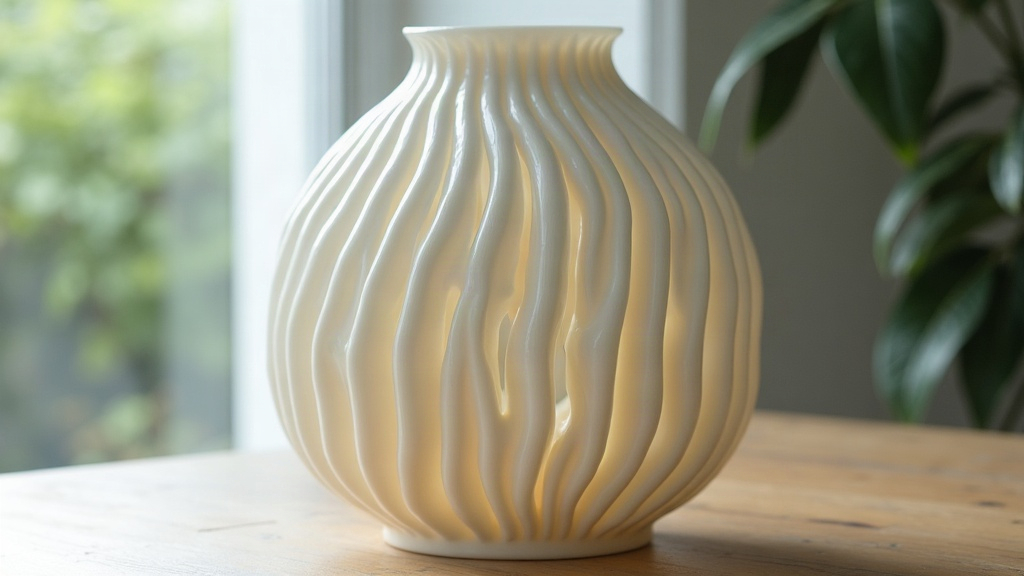
If your layer shifts only show up on tall vase-mode (spiralize outer contour) prints but never on shorter models or normal multi-perimeter jobs, the cause is almost always tied to height: resonance that builds up as the print grows, belt or pulley slack that only becomes a problem at speed and height, or a frame that flexes more once the top of the print gets heavier and taller. Here’s how to isolate the real culprit instead of guessing.
Why Vase Mode Exposes Layer Shifts More Than Normal Prints
A vase-mode print is one continuous wall. No retractions, no travel moves, constant motion in X and Y the whole time. That changes things quite a bit:
- There’s no infill or extra perimeters to hide a shift. In a normal print, a tiny nudge might get absorbed visually by the infill pattern or a second wall. In vase mode, that same nudge becomes a permanent, visible step in the wall, forever.
- Continuous motion lets resonance stack up. The nozzle never pauses, so any harmonic vibration coming from the belts, the frame, or the lead screws just keeps compounding, layer after layer. The taller the part gets, the more it behaves like a lever arm wobbling on top of the bed.
- Speed usually stays high. People print vase mode fast precisely because there’s no infill to slow things down. That’s convenient, but it also pushes the steppers and belts right up against their skip threshold.
- The center of mass keeps climbing. As the vase gets taller, any wobble in the bed or gantry gets more leverage to work with. That’s why a lot of these shifts don’t even show up until you cross the 60-100mm mark.
Step 1: Confirm It’s a Mechanical Skip, Not Slicer/Model Geometry
Before you start pulling belts apart, rule out the software side first:
- Does the shift happen at the same height on different models? That’s a strong sign of mechanical resonance, or a part that’s slowly working itself loose from vibration.
- Does it happen at a specific X/Y coordinate every time? That usually points to a physical snag or obstruction at that exact spot, not resonance at all.
- Slice the same model with normal, non-vase walls at the same speed. If it prints clean, the problem lives in the continuous high-speed motion of vase mode, not the model or slicer settings.
Step 2: Inspect Belts and Pulleys Under Load
- Belt tension: A belt that behaves at slow speeds can still skip teeth once you hit sustained vase-mode speeds. Pluck each one. You want a tight, consistent “twang,” not a dull thud that sounds like a loose guitar string.
- Pulley set screws: Check both idler and motor pulleys for any slip on the shaft. A pulley slipping slightly usually causes shifts regardless of height, but a tall, heavy print’s extra vibration can make an already-marginal set screw fail faster.
- Belt debris: Look for filament dust or grit worked into the belt teeth. It doesn’t cause problems at low speed, but under sustained motion it will make the belt skip.
Step 3: Check Frame and Gantry Rigidity
- Height increases the moment arm acting on the gantry. If you’re running a cantilevered X-axis (bowden setup or a lightweight gantry arm), the combination of extra height and speed can flex the frame just enough to lose steps.
- Go over every frame bolt, especially eccentric spacers and idlers on the X and Y carriages. These loosen quietly over months of printing.
- On a CoreXY or belt-driven Z setup, check the Z coupling isn’t slipping. A slipping Z motor can look a lot like a layer shift at first glance, but it’s actually a height error, and you can tell the two apart because Z slip leaves an ugly, ragged seam rather than a clean sideways offset.
Step 4: Reduce Resonance With Speed and Acceleration Tuning
- Drop print speed by 20-30% just for tall vase-mode jobs and see if the shift disappears.
- Pull back acceleration and jerk/junction deviation. Vase mode on curved models means constant direction changes, and aggressive acceleration settings are one of the most common hidden causes here.
- Turn on input shaping if you’re on Klipper, or whatever resonance compensation your firmware supports. In my experience this is often the single biggest fix for shifts that only show up on tall prints.
Step 5: Check Stepper Driver Heat and Current
- Steppers that run continuously, with no rest between moves, generate a lot more heat than steppers doing stop-start motion. An overheating driver throttles its current and starts skipping, often right around the 20-40 minute mark of continuous printing. That timing lines up suspiciously well with “it only happens on tall prints” complaints.
- Make sure heatsinks are actually seated and case fans are spinning. If a driver feels hot to the touch, consider dialing the current down a notch.
Step 6: Cable and Wire Management
- Check whether a stepper cable is snagging as the gantry travels farther out in Y, or as the bed moves further on a large-format machine. A snag that only kicks in past a certain travel distance would explain why only your taller, wider vase prints are affected.
Quick Checklist
- Reproduce the issue with a normal (non-vase) print at the same speed, to separate software from mechanical causes.
- Tension and inspect belts and pulleys.
- Tighten frame bolts, eccentric nuts, and gantry hardware.
- Lower speed and acceleration, turn on input shaping.
- Check driver temperature and current settings.
- Inspect cables for snagging during extended travel.
Conclusion
Shifts that only appear in tall vase-mode prints aren’t random. They’re the visible symptom of resonance, belt slack, or heat buildup that only turns into a real problem after sustained, high-speed, uninterrupted motion. Work through it methodically: rule out the slicer first, then check belts, frame rigidity, speed and acceleration, and driver heat, in that order. Fix the actual mechanical issue and you won’t just kill the vase-mode shifts, every other print you run will come out cleaner and faster too.