Annealing PETG-CF Parts for Heat-Resistant Jigs
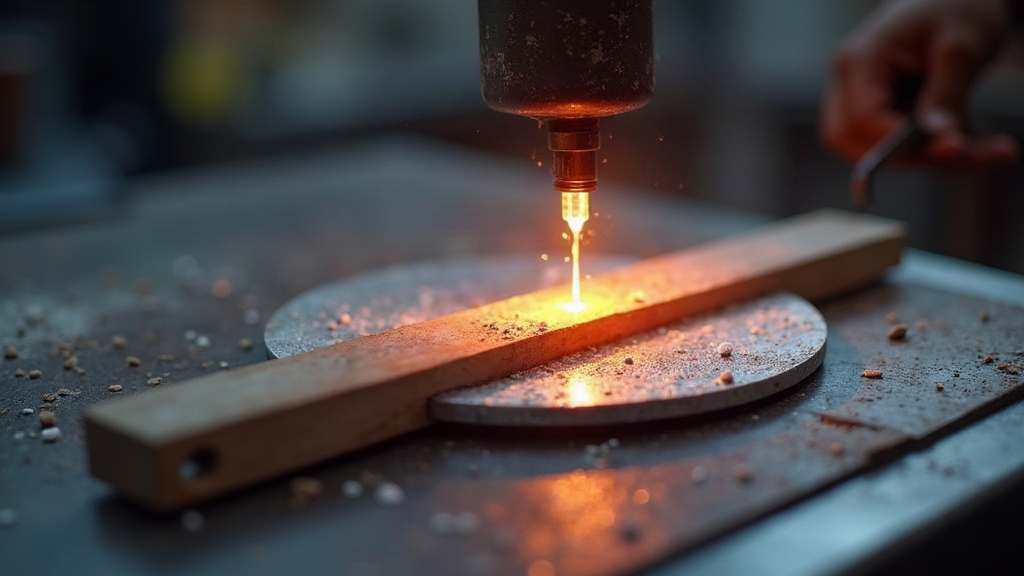
PETG-CF earns its keep on the shop floor. Drill guides, assembly fixtures, light tooling, jigs that need to hold a shape under repeated use, this is where the chopped carbon fiber pays off: it stiffens the part and cuts down on the warping that plain PETG is prone to. Annealing takes that a step further, tightening up heat resistance and dimensional stability, but it’s not a set-it-and-forget-it step. Push the temperature too high, or leave a part unsupported in the oven, and you can warp something that printed perfectly—similar considerations apply when calibrating TPU shore hardness for flexible prints. This guide walks through when annealing actually helps, how to run the process, and how to design a part so it survives the heat.
Why Anneal PETG-CF Parts?
PETG-CF is just PETG with short carbon fibers mixed in. Those fibers stiffen the material, clean up the surface finish, and generally make it less eager to expand than stock PETG. But the base polymer is still a polymer, and it still softens once it gets warm enough.
Annealing is really just controlled heating that lets the internal stress baked in during printing relax out. Depending on the exact filament blend you’re using, this can noticeably improve how well the part holds its shape once it’s sitting in a warm environment.
For shop jigs, that warm environment shows up more often than people expect:
- Warm workpieces fresh off a mill or forming press
- Heated enclosures or drying cabinets
- Vehicle interiors, garages, sunlit benches near a window
- Constant friction near motors, bearings, or electronics running warm
- Brief contact with tools or fixtures that are still hot
Don’t expect miracles, though. Annealed PETG-CF is not going to compete with PEEK, PEI, or a properly annealed nylon composite. What it will do, if you get the process right, is give you a bit more headroom before a well-printed jig starts to sag or drift out of tolerance.
Check the Filament Manufacturer’s Guidance First
There’s no magic number that works across every PETG-CF spool on the market. Base resin, carbon fiber percentage, pigment load, additive package, all of it changes how the material responds to heat.
Before you preheat anything, pull the technical data sheet from your filament maker and look for:
- Recommended annealing temperature
- Suggested annealing duration
- Heat deflection temperature or Vicat softening numbers
- Expected shrinkage percentage
- Whether the manufacturer even recommends annealing at all
Most PETG-CF filaments land somewhere in the 70-90°C (158-194°F) range, but treat that as a starting point, not a rule. Go in too hot and you’ll get sagging, warping, layers separating, or dimensions that shift more than you’d like.
If the manufacturer gives you nothing to work with, don’t experiment on your finished jig. Print a small test coupon first and see how it behaves.
Print the Part for Annealing Success
No amount of careful annealing fixes a part that was printed on weak settings to begin with. If a jig has to survive clamping force, heat, or repeated use, it needs to be printed with that job in mind from the start.
Use Suitable Print Settings
For a PETG-CF part that actually has to do work, aim for:
- Nozzle: hardened steel, ruby, or another wear-resistant tip
- Layer height: 0.16-0.28 mm, a reasonable middle ground between detail and strength
- Walls: at least 4-6 perimeters anywhere the part carries load
- Infill: 30-60%, gyroid, cubic, or grid works fine for most jigs
- Top/bottom layers: enough solid layers that the part doesn’t flex under pressure
- Dry filament: dry your spool thoroughly, wet PETG-CF prints weaker, messier layers
Carbon fiber chews through nozzles. A cheap brass nozzle can wear out fast, and once the orifice widens even slightly, your extrusion width drifts and so does your dimensional accuracy.
Orient the Part for Its Loads
Layer orientation matters a lot once clamping force or bending loads enter the picture. Whenever possible, print so the main force runs along continuous perimeters and layers, not across them.
Take a drill-guide block: you don’t want it oriented so drilling pressure is trying to peel layers apart. Same logic for a clamp jaw, its beefiest wall structure should line up with the direction it’ll actually be squeezed from.
How to Anneal PETG-CF Safely
Skip the kitchen oven if you can. A food dehydrator, a proper temperature-controlled oven, or a lab-style drying oven holds temperature far more reliably. Most household ovens overshoot their set point by 10-20°C, which is more than enough to ruin a plastic part.
Step 1: Measure the Part Before Heating
Before anything goes in the oven, measure:
- Hole diameters
- Slot widths
- Flatness of reference surfaces
- Overall length, width, and height
- Distance between locating pins or mounting holes
Write these numbers down somewhere you’ll actually find them again. It’s the only way to know how much that specific filament moves during annealing, and it’ll save you guesswork on the next design.
Step 2: Support the Part
Set the part on a flat, heat-stable surface. For anything uneven or geometrically complex, prop up thin sections and overhangs with fine sand, salt, or a small purpose-built fixture.
The whole point is stopping unsupported spots from sagging while the PETG matrix goes soft.
And don’t just toss a precision part on a bare, uneven oven rack. Those rack ribs press marks into a softened part, and that’s an easy way to introduce distortion you didn’t ask for.
Step 3: Heat Gradually
Bring the chamber up to whatever temperature the manufacturer recommends. If you’re flying blind with no data sheet, a cautious first test is 75°C (167°F) for 30 minutes, treated strictly as a trial run, not a final process.
Once the part is in and supported, leave the door shut. Opening it repeatedly lets temperature swing up and down, and that’s exactly what invites warping.
Step 4: Cool Slowly
When the annealing time is up, turn the heat off and let the part cool down inside the chamber, slowly. Pulling it out into room-temperature air right away can shock it back into stress, or cause one side to contract faster than another.
Only pull it once it’s back to room temperature, then give it a real inspection before putting it to work.
Expect Some Dimensional Change
Even with carbon fiber in the mix, PETG-CF still moves during annealing. Shrinkage or expansion often isn’t uniform across axes either, since layer direction and fiber alignment don’t behave the same way in every direction.
On a simple test block, check for changes in:
- X and Y dimensions
- Z height
- Circular hole diameters
- Flatness across the larger faces
If a locating hole shrinks below spec after annealing, just bump the diameter up slightly in your next print. For anything that needs a tight fit, leave a bit of machining margin and ream or drill the holes after annealing, not before.
A good habit: print a calibration plate with holes, slots, and known reference dimensions, oriented the same way as your final jig. Anneal that first, measure what moved, and adjust your production model based on real numbers instead of guessing.
When Annealing Is Worthwhile
Annealing PETG-CF makes the most sense when a jig will see moderate heat and needs to hold its dimensions over the long haul. Good candidates:
- Soldering and electronics assembly fixtures
- Routing templates that live near warm machinery
- Drill guides and inspection gauges
- Low-temperature vacuum-forming support tools
- Assembly nests handling warm metal or plastic parts
It’s a poor fit for anything near open flame, hot-air guns, or direct contact with hot metal. For those jobs, look at ASA-CF, nylon-CF, polycarbonate blends, or one of the true high-temperature engineering filaments instead.
Conclusion
Done right, annealing PETG-CF turns a decent shop jig into one you can actually trust in a warm environment, as long as you’ve tested the filament, supported the part properly, and planned for the dimensional shift ahead of time. Start small with a calibration print, lean on whatever guidance the filament supplier gives you, and build annealing into your design process from the beginning rather than treating it as damage control after the fact.