Calibrating TPU Shore Hardness for Custom Drone Landing Gear
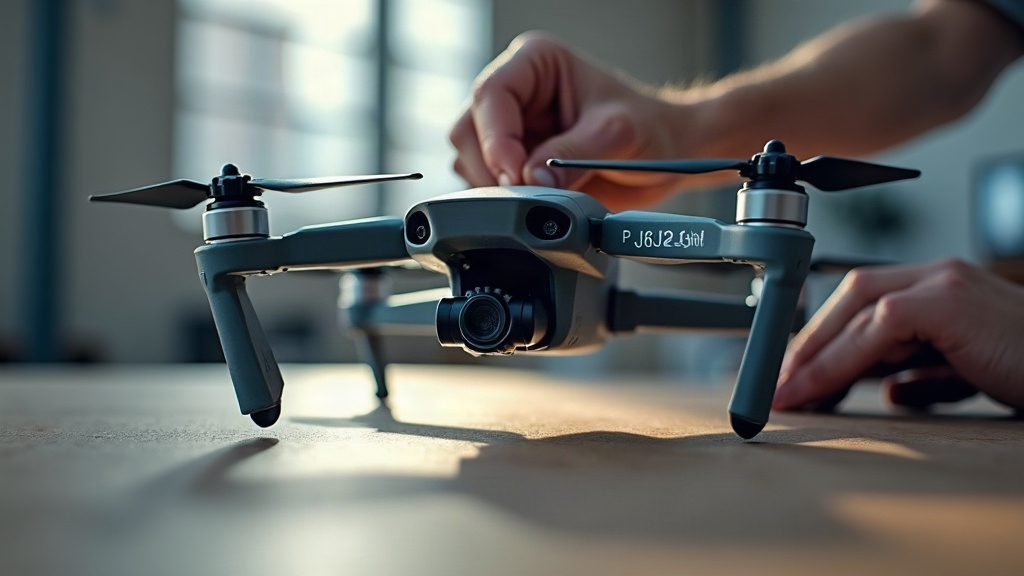
Calibrating TPU Shore hardness for custom drone landing gear helps you balance impact absorption, stability, weight, and long-term durability. A softer TPU can protect electronics during hard landings, while a firmer grade prevents excessive flex and keeps the drone level on the ground. The right choice depends on your drone’s mass, landing surface, gear geometry, and printing process—similar to how annealing PETG-CF parts requires matching post-processing to application demands.
Why Shore Hardness Matters for Drone Landing Gear
TPU, or thermoplastic polyurethane, is a flexible filament widely used for vibration mounts, bumpers, feet, and landing gear. Its hardness is commonly measured on the Shore A scale.
A lower Shore A number means a softer, more elastic material. A higher number means a firmer material that resists deformation more strongly. Simple as that, though the practical difference between a 90A foot and a 98A foot can be night and day once you actually fly.
For example:
- TPU 75A to 85A: Very soft and highly impact-absorbing
- TPU 90A to 95A: Balanced flexibility and structural support
- TPU 98A: Firmer, easier to print, and closer to rigid plastics in feel
Landing gear that’s too soft may spread outward, bounce excessively, or let the frame smack the ground. Gear that’s too hard does the opposite job badly: it transfers impact straight into the drone frame, flight controller, camera mount, or battery.
Start With the Drone’s Weight and Landing Conditions
Before picking a filament, work out the expected static load on each landing point. It takes two minutes and saves you a reprint.
For a quadcopter with four landing feet:
Load per foot = total takeoff weight ÷ 4
A 1.2 kg drone puts roughly 300 g of static load on each foot. But a hard landing generates a much larger, short-duration force, sometimes several times the drone’s actual weight in that instant. Designing only for static weight just isn’t enough.
Consider these conditions:
- Indoor smooth floors: Firmer TPU can provide stable footing.
- Grass and soil: Medium TPU works well because the surface already absorbs some impact.
- Concrete, asphalt, or rooftops: Softer TPU helps reduce shock transfer.
- Frequent takeoffs and landings: Pick a material with strong abrasion resistance.
- Camera or FPV payloads: Prioritize vibration isolation and controlled compression.
For most hobby and custom FPV builds, TPU 90A to 95A is a practical starting range, and honestly, if you’re unsure where to begin, just start there.
Choose a Starting Shore Hardness
TPU 85A: Maximum Cushioning
TPU around 85A suits lightweight drones, delicate camera platforms, and landing feet meant to soak up small drops.
Benefits include:
- Strong grip on smooth surfaces
- High vibration damping
- Good protection against sudden impact
The trade-off is stability, or the lack of it. Tall or narrow landing legs printed in 85A material can bend sideways, especially on heavier drones. Picture a 2 kg build coming down slightly off-axis: an 85A leg might just fold rather than absorb.
TPU 90A to 95A: Best General-Purpose Range
This range is often the sweet spot for custom drone landing gear, offering real shock absorption without turning wobbly underneath the drone.
Use it for:
- Standard FPV drones
- Small mapping drones
- Custom cinematic builds
- Replaceable landing pads
- Foldable or snap-on landing accessories
A 95A TPU foot with a well-designed internal structure can take repeated landings while still cutting down frame vibration. This is where most builders end up settling, and for good reason.
TPU 98A: Firm Support With Some Flex
TPU 98A earns its place when the gear needs to hold its shape, think long skids, narrow struts, or integrated frame guards.
It makes sense for:
- Heavier drones
- Tall landing gear
- Gear exposed to lateral loads
- Parts requiring precise fitment
It’s firmer, sure, but it still beats PLA or PETG on impact resistance by a wide margin.
Calibrate Material Behavior, Not Just the Label
A filament’s advertised Shore hardness is a useful reference point, nothing more. The finished part’s actual behavior depends just as much on print settings and design. Two landing feet printed from the same 95A spool can feel completely different in your hand.
Test these variables systematically, rather than trusting the spec sheet alone.
Adjust Wall Count and Infill
For TPU landing gear, walls typically shape stiffness more than infill does.
Try this baseline:
- Wall count: 3 to 5 perimeters
- Infill: 15% to 35%
- Infill pattern: Gyroid or cubic
- Layer height: 0.2 mm for a common 0.4 mm nozzle
- Top and bottom layers: At least 4
A 95A TPU part with five walls and 30% gyroid infill may end up too firm for a lightweight drone. Print the same material with three walls and 15% infill, and it compresses far more effectively. Small changes, big difference in feel.
Print Small Compression Test Samples
Skip printing a full landing gear set right away. Print simple test pads or short legs first, it’s a 20-minute print, not a wasted afternoon.
A useful test sample is a 25 mm wide, 12 mm tall TPU cylinder or square pad. Print several versions with different wall counts and infill percentages, then set each one beneath the drone and watch how it compresses.
Look for a result where:
- The pad compresses slightly under the drone’s weight.
- The frame stays level.
- The material rebounds quickly after you lift the drone.
- The landing surface doesn’t feel unstable.
- The foot doesn’t permanently flatten after repeated tests.
Test for Impact and Rebound
A basic controlled drop test tells you far more than squeezing a part between your fingers ever will.
Start safely: remove the battery and detach sensitive payloads. Drop the drone, or a representative weighted frame, from low heights such as 5 cm, 10 cm, and 20 cm, onto the surface it’ll normally land on.
Watch for:
- Excessive bounce
- Frame contact with the ground
- Landing legs folding sideways
- Visible layer splitting
- Permanent deformation
- Uneven load distribution between feet
If the gear bottoms out, go firmer on the TPU, add wall count, widen the foot, or increase the height of the compression zone. If it barely compresses and passes a sharp impact straight through, drop the wall count, lower the infill, or try a softer grade instead.
Design Features That Improve TPU Landing Gear
Material choice is only half the calibration story. Geometry does the rest, often more than people expect.
Helpful design choices include:
- Wide feet: Reduce ground pressure and improve stability.
- Rounded edges: Lower the risk of tearing and snagging.
- Tapered legs: Add controlled flex near the ground contact point.
- Ribbed sections: Increase stiffness without making the whole part solid.
- Replaceable pads: Let worn feet get swapped without reprinting the entire assembly.
- Fillets at mounting points: Reduce stress concentration and layer separation.
For a 5-inch FPV drone, a common approach pairs a firm 95A TPU mounting section with a thinner, slightly flexible foot pad underneath. That keeps the attachment secure while letting the bottom section do the actual shock absorbing.
Check Durability Over Time
TPU usually shrugs off repeated impacts well, but don’t skip inspecting the landing gear after use anyway. Check for abrasion, cracks along layer lines, loose mounting tabs, and hardening from environmental exposure.
If the drone flies outdoors regularly, don’t leave TPU parts baking in prolonged heat or direct sunlight. Dirt and grit wear down soft landing pads faster than most people expect, too.
Conclusion
Calibrating TPU Shore hardness for custom drone landing gear comes down to matching material, print settings, and geometry to the drone’s real landing loads. Start with 90A to 95A TPU, print small test samples, and check compression, stability, rebound, and durability before locking in a final design.